Mutagent Blog · Announcements
Get started with the Software Factory from Mutagent
Copy one GitHub template, label an issue, and approve the plan and the pull request. The software-factory-starter repo gets you there in about five minutes.
Mutagent Blog · 2026-11-23 · by Dr.-Ing. Benedikt Sanftl
~5 min read
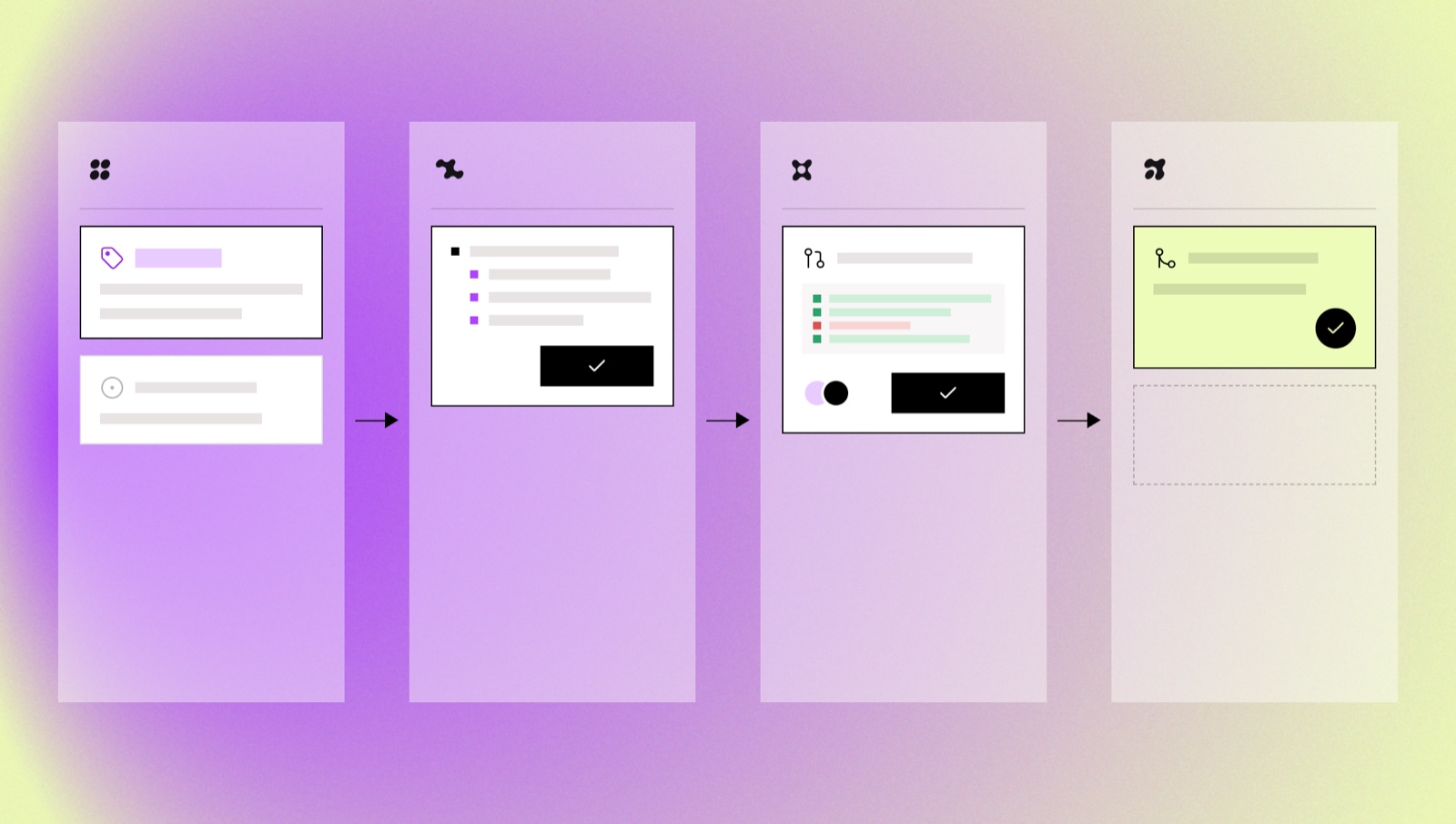
The fastest way to see the Mutagent Software Factory work is to copy one GitHub template, label an issue, and approve two things: the plan and the pull request. The software-factory-starter repo gets you there in about five minutes.
Most people want to watch an agent tool change real code before they point it at their own. The starter gives you a small, real codebase, a factory that is already configured, and two issues ready to run. You stay in GitHub the whole time: issues, labels, a Project board, and a pull request you review like any other.
Here is what happens on a run. You label a GitHub issue. The architect agent writes a plan and waits for your approval. A developer agent builds the change with tests in a cloud sandbox, a reviewer agent checks it against the plan, and the factory opens a pull request. You approve the PR, and the factory merges it and moves the card to Done.
What’s in the starter repo
The repo is a GitHub template with everything the factory needs to run on day one.
- Example app. A small TypeScript CLI in
src/that turns text into URL slugs, with tests and CI. Small enough to read in a minute, real enough for the factory to change. - Factory definition.
.architech/factory/factory.yaml: the board, labels, merge policy, spend caps, and triggers. - Setup scripts.
scripts/setup-factory.shcreates your labels and org Project and fills infactory.yaml. - Work to do. Two ready issues in
examples/issues/and a Factory task issue template. - Agent rules.
AGENTS.md, the instructions every agent reads before it changes anything. - The guide.
docs/guide.html: setup, the approval model, and troubleshooting in one offline file.
The defaults are set for building trust. Every pull request waits for your approval, changes to .architech/ and .github/ always wait for you, and spend is capped at $10 per run and $30 per day.
Set it up in five steps
You need a GitHub organization you administer, a Mutagent account (get started at app.mutagent.io), the gh CLI signed in with the project scope, bun, and the architech CLI. The cloud factory works only on Projects owned by an organization, so a personal account won’t do. The README lists each prerequisite with its install link.
-
Make your own copy (30 seconds). On the repo, click Use this template, then Create a new repository. Pick your organization and make it private. Or from the terminal:
gh repo create my-org/my-factory --template mutagent-io/software-factory-starter --private --clone -
Install the Mutagent GitHub App (1 minute). Open github.com/apps/mutagent, pick your organization, and give the App access to your new repo. It needs write access to contents, pull requests, issues, and org Projects so it can push a branch, reply on issues, and move cards.
-
Connect GitHub to your Mutagent workspace (1 minute).
architech factory login architech factory integrations connect github --wait -
Create the labels, board, and config (1 minute). The setup script adds the factory labels, creates an org Project with Todo, In Progress, In Review, and Done columns, and writes your org, Project number, and repo into
factory.yaml. It only adds what’s missing, so it’s safe to run again.scripts/setup-factory.sh --dry-run scripts/setup-factory.sh git add .architech/factory/factory.yaml && git commit -m "factory: our board" && git push -
Push and turn on the factory (1 minute). This validates the config, stores it, binds your board, and enables the factory so board events start runs.
scripts/setup-factory.sh --push
Run architech factory status --json anytime to see what’s set up and what’s missing.
Run your first ticket
File the two example issues onto your board, or write your own with the Factory task template:
scripts/file-example-issues.sh --project <number>Then drive the whole run with labels on the issue and a review on the PR:
- Start. Add
factory:pickup. The card moves to In Progress, and the architect reads the code and posts a plan on the issue. - Approve the plan. Add
factory:approvedand the build starts. To change the plan, comment what you want different, then addfactory:changes. - Wait for the PR. A developer agent builds the change with tests, a reviewer agent checks it, and the factory opens a pull request that names the issue.
- Approve the PR. Use Review changes > Approve like you would for a teammate. Choose Request changes instead and the factory rebuilds.
- Let it land. Add
merge:ready. The factory merges once CI is green and moves the card to Done. You can also press Merge yourself.
Approval labels only count when a person with write access adds them. A label added by a bot or an app authorizes nothing, and merge:hold stops pickup and merging on any item until you remove it.
To follow along from the terminal:
architech factory runs list --json
architech factory runs logs <run-id> --follow
Then point it at your own code
Once a starter run has landed, you’ve seen the full loop: plan, approve, build, review, merge. Moving to your own repo is the same setup with your board and your issues. Start with one small ticket you’d normally hand to a teammate, and judge the pull request it hands back.
When you’re ready for more, factory.yaml is where you loosen the defaults. The default autonomy preset, calibrating, waits for a person on every plan and every merge. Set policy.merge.approve to as-ready so reviewed PRs merge on green CI, or pick policy.autonomy: approve-plans, which does the same and still waits for you on every plan. Raise the spend caps, pin a model per agent role, or set policy.plan.subItems to board to split a plan into one sub-issue and PR per part. Push the file again and new runs pick it up.
Get started: use the software-factory-starter template on GitHub, and sign up at app.mutagent.io. If it saves you a ticket, star the repo so other teams can find it.